Laptop Stand Buying Guide: Check the Whole Working Position
A laptop stand moves a screen, but it also changes the keyboard position, cable route and desk footprint. Choose one around a complete working arrangement rather than a photograph of an elevated computer.
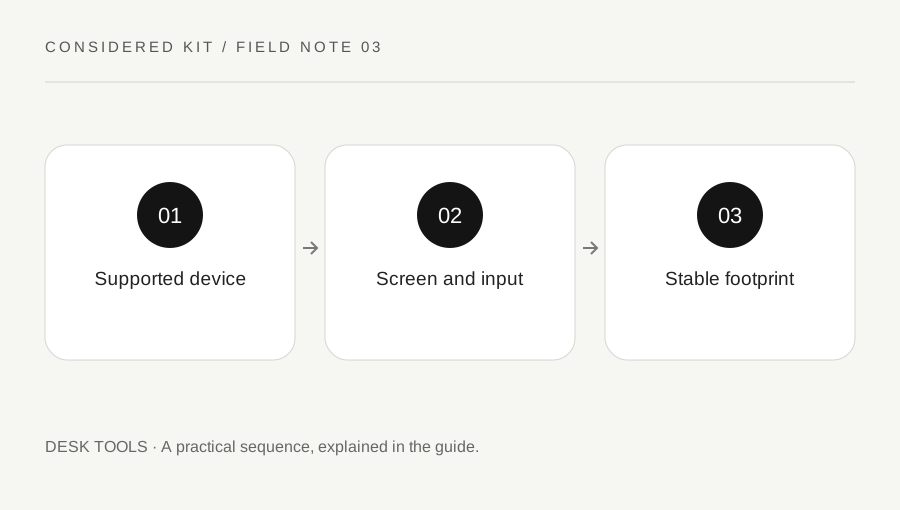
Original explanatory diagram. Examples illustrate a method or decision; they are not claims of personal testing.
Decide what the stand should change
Describe the practical problem in one sentence. Perhaps the camera sits too low for calls, the laptop screen is a secondary display, or the desk needs a dedicated place for a closed computer. These are different arrangements. A vertical holder for a closed laptop is not the same tool as an open stand intended to raise the display.
Make a rough paper outline of the current laptop and the proposed stand footprint. Include the space where your hands and pointing device will go. If raising the laptop also raises its built-in keyboard beyond a useful position, budget and plan for separate input devices. A stand alone does not solve every part of a workstation.
Check exact device compatibility and support points
Read the supported dimensions, weight, device orientation and any model restrictions. Examine where the computer rests, which lip prevents sliding and whether pads contact the chassis securely. A screen-size range does not explain every unusual base shape. Twelve South publishes different guidance for its stand families; a compatible vertical insert is not a universal clamp for every laptop.
Check access to side ports and whether a protruding connector could touch the stand. Do not modify retaining parts to make an unsupported device fit. If a maker cannot confirm compatibility, a different design with clear support information is a better comparison candidate than a close-looking guess.
Plan height and input devices together
Use a temporary arrangement with stable household objects only to estimate the desired screen location; do not balance expensive equipment on an insecure tower. Observe the screen from the chair and desk you actually use. Then measure the required height and viewing angle range. An adjustable stand is useful only if its supported positions include that arrangement.
For an illustrative small desk, raising the laptop may free space below it but place an external keyboard too close to the edge. Draw both objects at scale and include mouse movement. If another monitor is present, consider which display is primary and how often you turn between them. These personal observations are more informative than choosing the tallest model.
Keep stability, ventilation and cables visible
Read the assembly and adjustment instructions, including any tension mechanism and load limit. Check the base on the real desk surface and leave room for opening the lid without tipping. Cables should have enough slack for the intended adjustment but should not pull the laptop sideways. A portable folding stand needs the same checks after every setup.
Follow the computer manufacturer’s ventilation guidance. Apple, for example, advises a stable work surface with good ventilation and keeping openings clear. Raising a laptop is not evidence that it will run cooler under every workload. Do not cover vents with padding, store soft materials beneath a hot device or rely on a stand to diagnose a temperature problem.
Choose portability or permanence deliberately
For daily travel, compare the folded shape, setup steps and weight added to your bag. For a fixed desk, reliable positioning and cable clearance may matter more than a very small folded package. Check whether frequent adjustment requires a tool, and whether replacement pads or parts are available through the maker.
During an allowed return check, assemble according to instructions, place the supported laptop and use normal gentle controls. Note wobble during typing only if the stand is intended for that use. Stop if the computer slips or the mechanism will not hold. Keep a record of the chosen height, accessory needs and any desk limitation before deciding to keep it.
A practical checklist
Choices are saved in this browser. Reset them here or clear this site’s browser storage.
Questions that come up
Can I type on the laptop while it is raised?
Only if the design supports that use and the position works for you. Many arrangements are more practical with a separate keyboard and mouse.
Does a stand guarantee lower temperatures?
No. Ventilation, workload and the device’s cooling system all matter. Follow the computer instructions rather than relying on a general cooling promise.
Will any vertical holder fit my laptop?
No. Thickness, edge shape and the maker’s supported models or inserts can determine fit.
References & scope
Background references checked on 18 October 2026. Worked examples and diagrams are original teaching material.