Desk Mat Buying Guide: Measure Mouse Travel Before Choosing the Size
A desk mat defines a working patch of the desk, but a large rectangle can cover useful space or interfere with an existing setup. Choose its dimensions, surface and care requirements around the objects and movements that will actually use it.
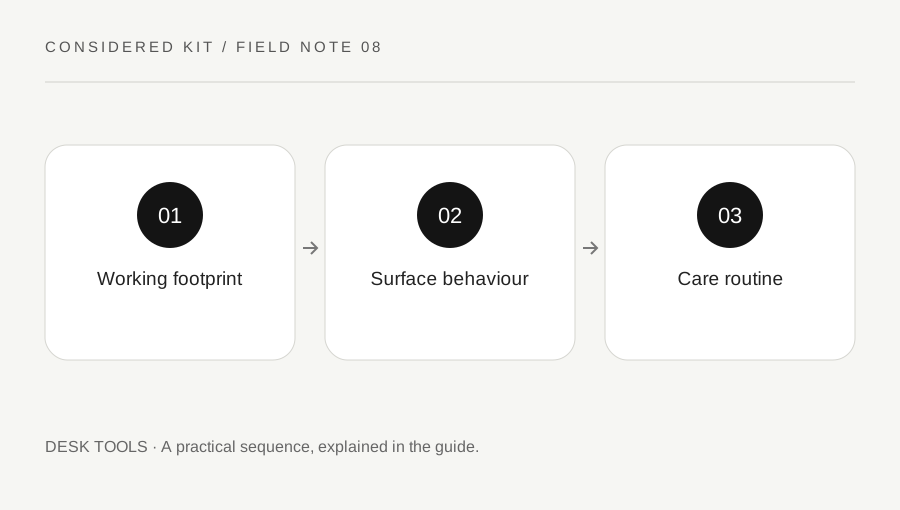
Original explanatory diagram. Examples illustrate a method or decision; they are not claims of personal testing.
Map the usable desk area
Measure the clear desk surface after accounting for monitor feet, lamp bases, cable outlets and the edge where you sit. Decide whether the mat should hold only the mouse, the keyboard and mouse, or a broader writing area. These are different footprints. A photograph showing a wide clear desk can hide the constraints of your own setup.
Use paper or removable markers that will not damage the finish to outline candidate dimensions. In an illustrative narrow desk, an eighty-centimetre mat may fit the overall width but collide with a lamp base. Record the truly usable rectangle and any objects that must remain outside it. This prevents a simple size specification from becoming an awkward daily rearrangement.
Observe real mouse movement
Use your normal pointer settings and perform a few everyday tasks. Notice the area the mouse reaches when selecting a wide spreadsheet range, navigating a large image or moving between displays. Do not change sensitivity just to make a desired mat fit unless you actually want that change. Include room to lift and reposition the mouse if that is part of your habit.
Check the surface requirements of your specific mouse. A textured fabric, hard surface and transparent sheet can behave differently with different sensors. Where a return check or shop sample is available, compare ordinary movement rather than assuming a broad gaming or precision label establishes compatibility. Record any inconsistent tracking as an observation about that combination.
Consider writing, edges and thickness
If the mat will also support paper, try a normal pen on a sample where permitted. A soft surface can feel different under a single sheet than under a thick notebook. Decide whether you want a separate hard writing area. A material chosen for mouse glide may not provide the firm backing you prefer for handwriting.
Look at the edge closest to your arms and the thickness beneath the keyboard. Raised stitching, curling corners or a step under a device can matter in a particular setup. Do not infer a medical or ergonomic benefit from a soft surface claim. Compare the actual edge position and how the objects sit on the desk.
Read backing and care information
Check the backing material and any surface compatibility guidance, especially on a delicate finish. A manufacturer may describe an anti-slip base, but your desk coating, dust and moisture can change the situation. Keep both surfaces clean and avoid trapping spills beneath the mat. If the material has a noticeable smell or known sensitivity matters to you, review the specification before purchase.
Logitech describes a particular Studio Series mat with a fabric surface, rubber base and spill-resistant treatment. Those are model-specific claims, not features of every desk mat. Follow the chosen maker’s cleaning instructions; do not assume that a wipe-clean description permits soaking, machine washing or strong household solvents.
Evaluate the complete routine
Decide how often you need to move the mat for cleaning or another task. A very large mat may require lifting several devices, while a small one may leave the mouse near its edge. If you travel with it, compare the supported storage method and whether it returns flat. Do not fold a product unless its care instructions allow it.
During a clean trial, complete a normal writing task and a normal pointing task, then check cables and desk access. Keep the mat only if the defined working area remains useful. A sensible decision note might say that the keyboard and mouse fit, the lamp remains clear, and handwritten forms will use a separate hard surface. That is a specific solution rather than a claim that one material is best for everyone.
A practical checklist
Choices are saved in this browser. Reset them here or clear this site’s browser storage.
Questions that come up
Should the mat cover the whole desk?
Only if that supports your tasks and leaves devices, cables and cleaning manageable. A smaller working area can be more practical.
Will every mouse track on every mat?
No. Check the mouse’s guidance and, where possible, test the actual combination.
Does spill resistant mean waterproof?
No. Read the exact product claim and clean spills promptly using the maker instructions.
References & scope
Background references checked on 18 October 2026. Worked examples and diagrams are original teaching material.